Neo4j Dump Setup Guide
Step-by-step setup instructions to download, import, connect, and query the graph locally.
-
Install Neo4j Desktop
Download and install the latest Neo4j Desktop.
Install Neo4j Desktop -
Download and Import the Dump
Download the .dump file and import it into your local database.
Open Dump Download Folder -
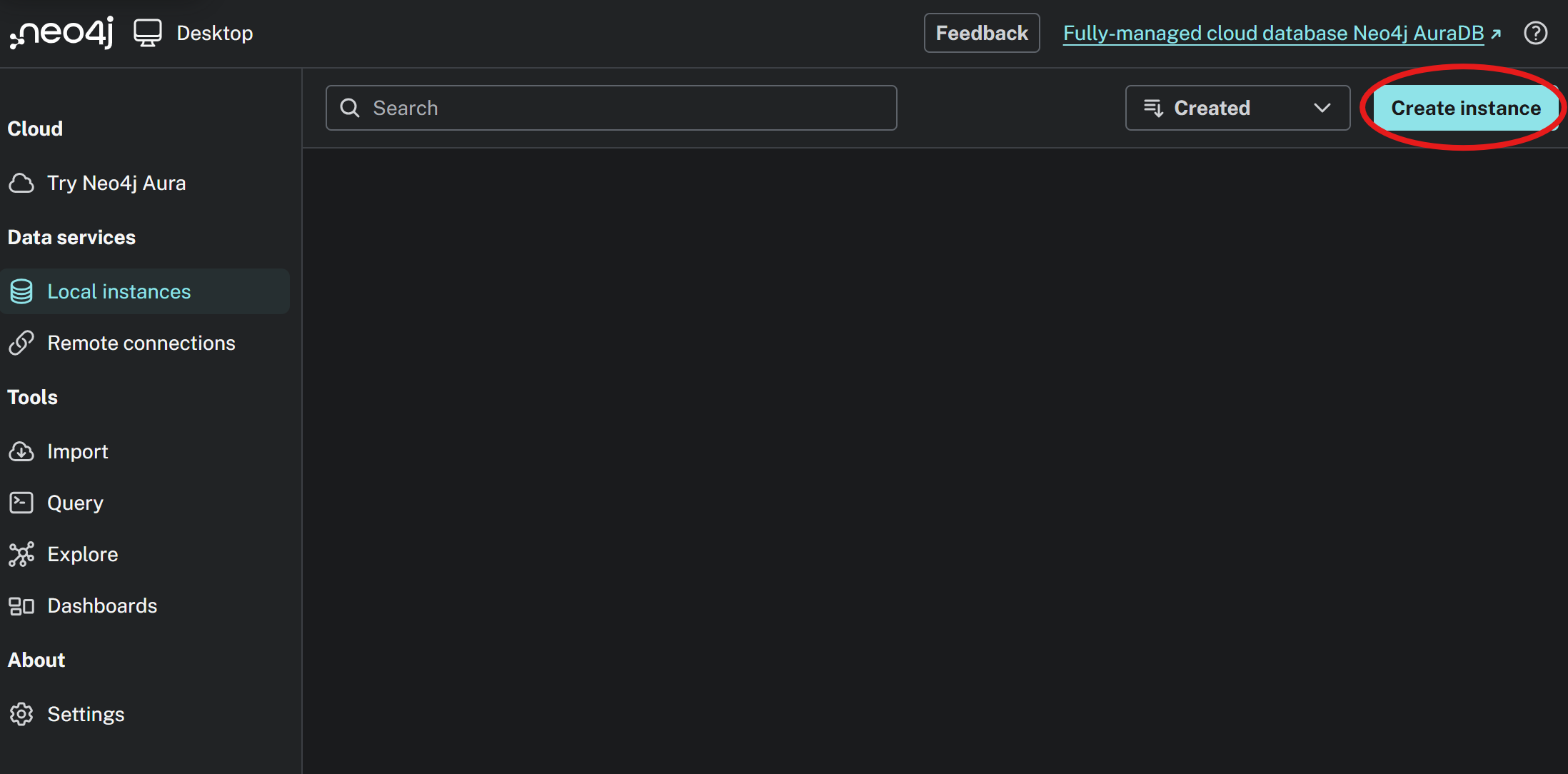
Create a Local DBMS Instance
Use the Create Instance button in the desktop app.
-
Select Compatible Version and Load from .dump
Choose Neo4j version 2026.02.03 or higher, then load the database from the downloaded
.dumpfile.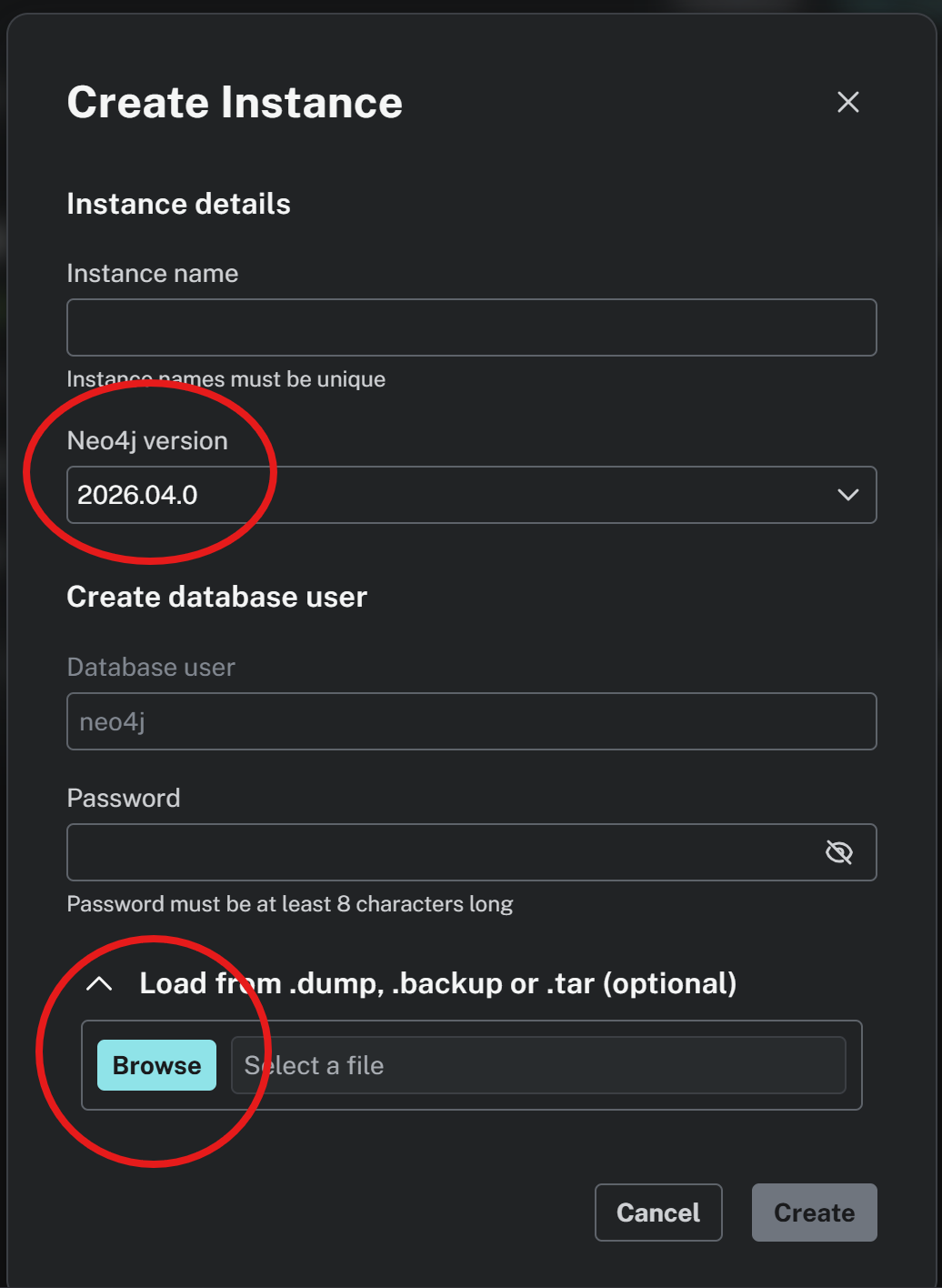
-
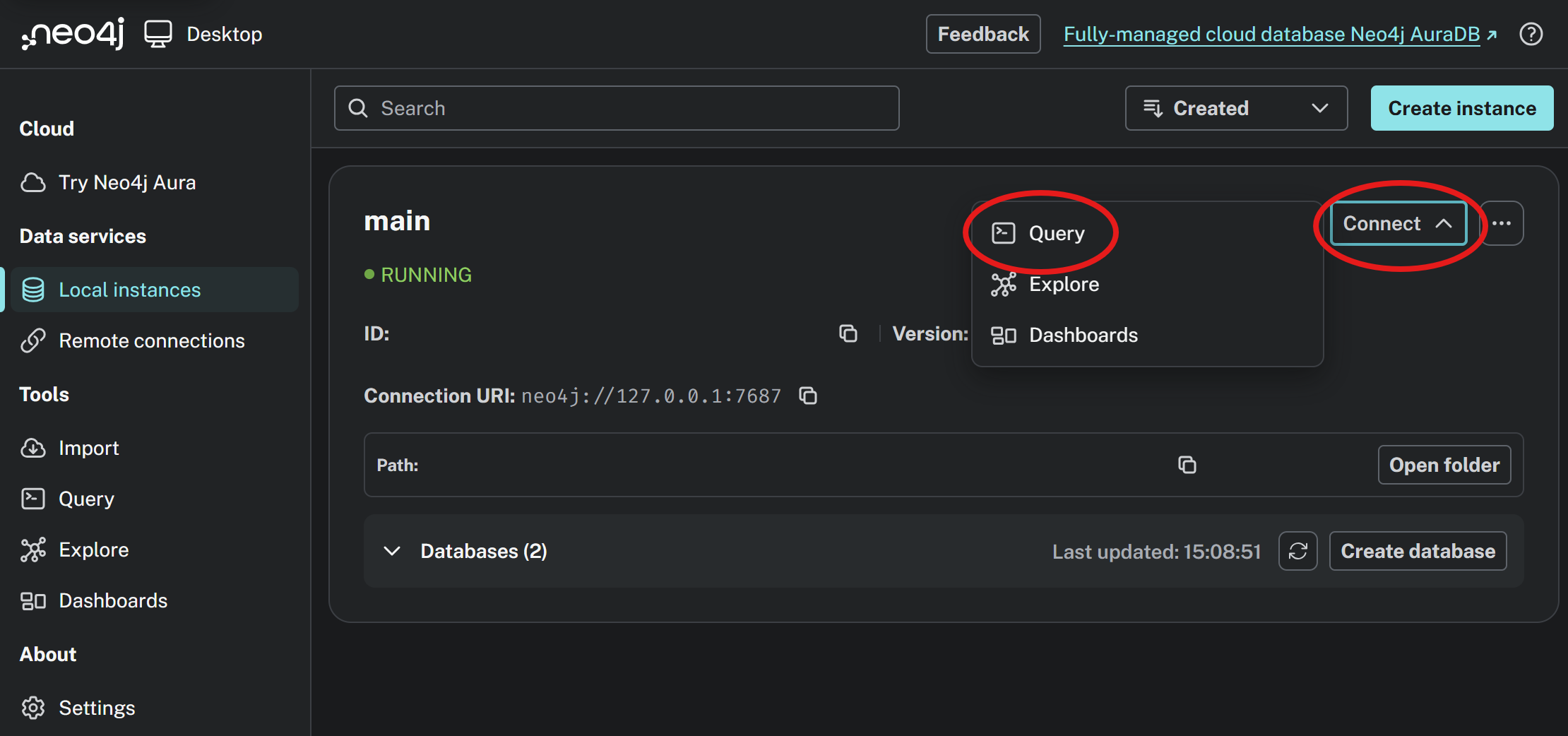
Connect and Open Query UI
Start your DBMS and open the connect/query interface.
-
Run Sample Queries
Use either query below to validate your database setup.
Example 1: Fulltext Fuzzy Search
CALL db.index.fulltext.queryNodes("entityFuzzySearch", "EGFR~0.85 OR \"lung cancer\"~0.7")
YIELD node, score
RETURN node
ORDER BY score DESC
LIMIT 15;
Example 2: Subgraph Around a Target
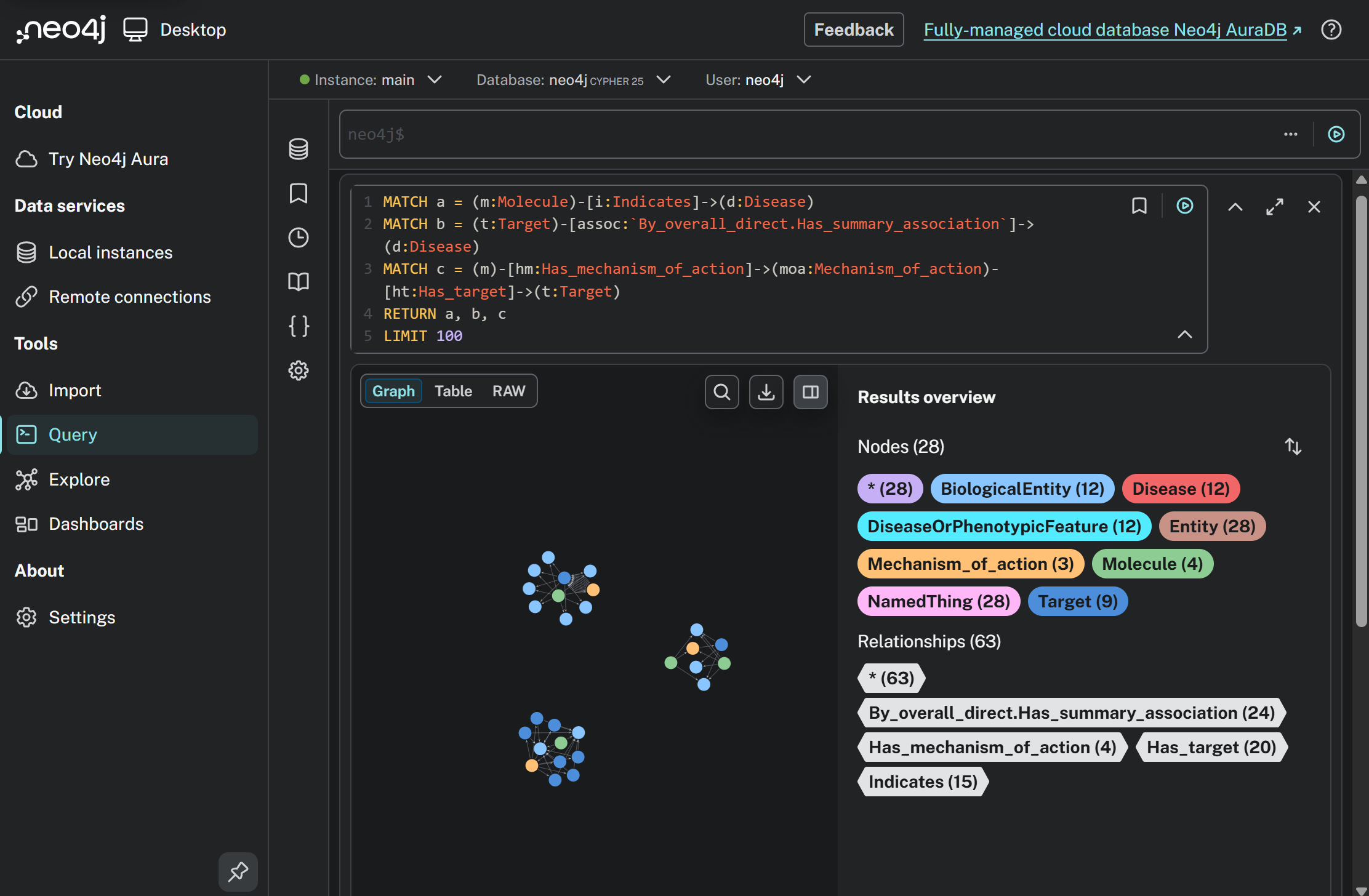
MATCH a = (m:Molecule)-[i:Indicates]->(d:Disease)
MATCH b = (t:Target)-[assoc:`By_overall_direct.Has_summary_association`]->(d:Disease)
MATCH c = (m)-[hm:Has_mechanism_of_action]->(moa:Mechanism_of_action)-[ht:Has_target]->(t:Target)
RETURN a, b, c
LIMIT 100